
Download Stellar Data Recovery Free Edition – Secure & Fast File Recovery Tool for Windows, Mac, Android, iOS
Stellar Data Recovery Free Edition is a powerful, no-cost data recovery software designed for Windows, Mac, Android, and iOS users. This secure, user-friendly tool helps you recover lost, deleted, or corrupted files—including documents, photos, videos, and audio—from hard drives, SSDs, USB drives, memory cards, and even BitLocker-encrypted drives. With support for over 1,000 file types and advanced recovery algorithms, this free software delivers reliable results in just a few clicks. Whether you’ve accidentally deleted files, formatted a drive, or experienced a system crash, Stellar Data Recovery Free Edition provides a fast and safe way to restore your valuable data—up to 1 GB per recovery session. Ideal for students, professionals, photographers, and IT users, this tool is a trusted solution for immediate data retrieval without upfront costs.
Advanced Data Recovery Features for Every User
Stellar Data Recovery Free Edition stands out in the crowded data recovery market due to its comprehensive feature set, even in the free version. One of its most powerful capabilities is the ability to recover files from a wide range of storage devices, including internal hard drives, external SSDs, USB flash drives, SD cards, and even RAID arrays. Whether your data was lost due to accidental deletion, formatting, system crashes, or hardware corruption, this software can help. The tool uses deep scanning technology to detect and restore files at the sector level, ensuring that even partially overwritten or fragmented data can be recovered. This makes it a top choice for users who need to retrieve critical files from damaged or corrupted drives. Another standout feature is its support for multiple file formats. From common documents like DOCX, PDF, and XLSX to multimedia files such as MP4, MOV, AVI, JPEG, PNG, HEIC, RAW, and ARW, the software ensures that no data type is left behind. For content creators and photographers, this means you can recover high-resolution images and videos that are essential to your workflow. Additionally, the software includes a unique file repair function that can fix corrupted media files—restoring playback functionality to damaged videos and fixing broken image files. The tool also excels in handling encrypted drives. It can recover data from BitLocker-protected partitions, which is a rare feature in free recovery tools. This is especially valuable for enterprise users or individuals who rely on full-disk encryption for data security. Furthermore, Stellar Data Recovery Free Edition allows users to create a bootable USB drive for emergency recovery in cases where the system fails to boot—ensuring access to your data even during severe system failures. These advanced features make it far more than just a basic file recovery app.Seamless Installation and Intuitive Usage Experience
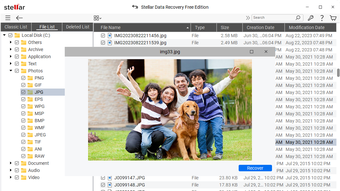
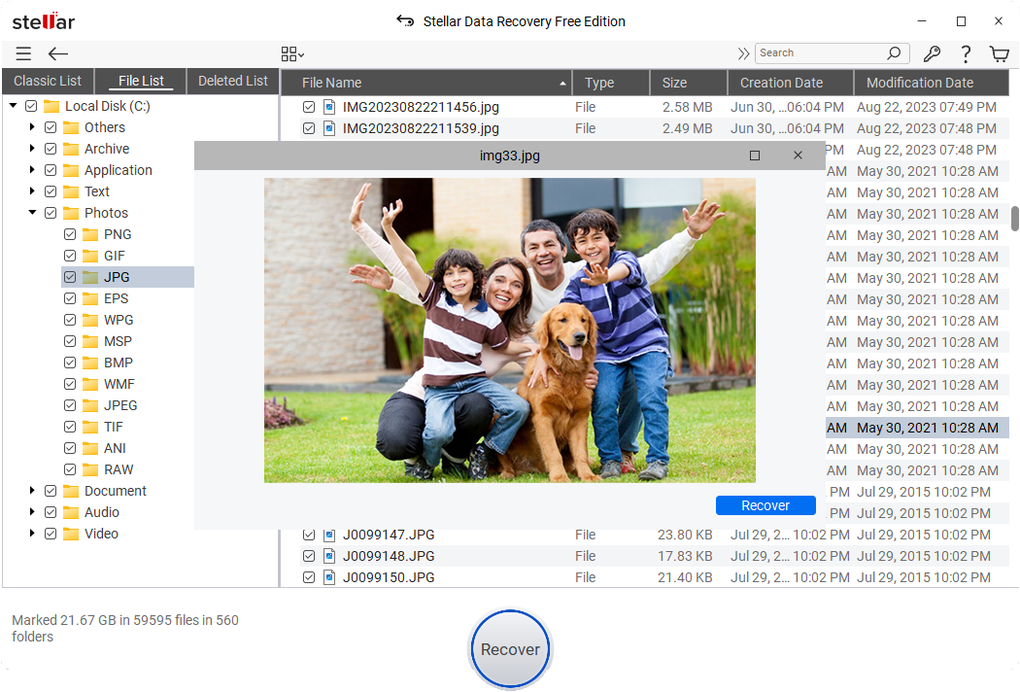
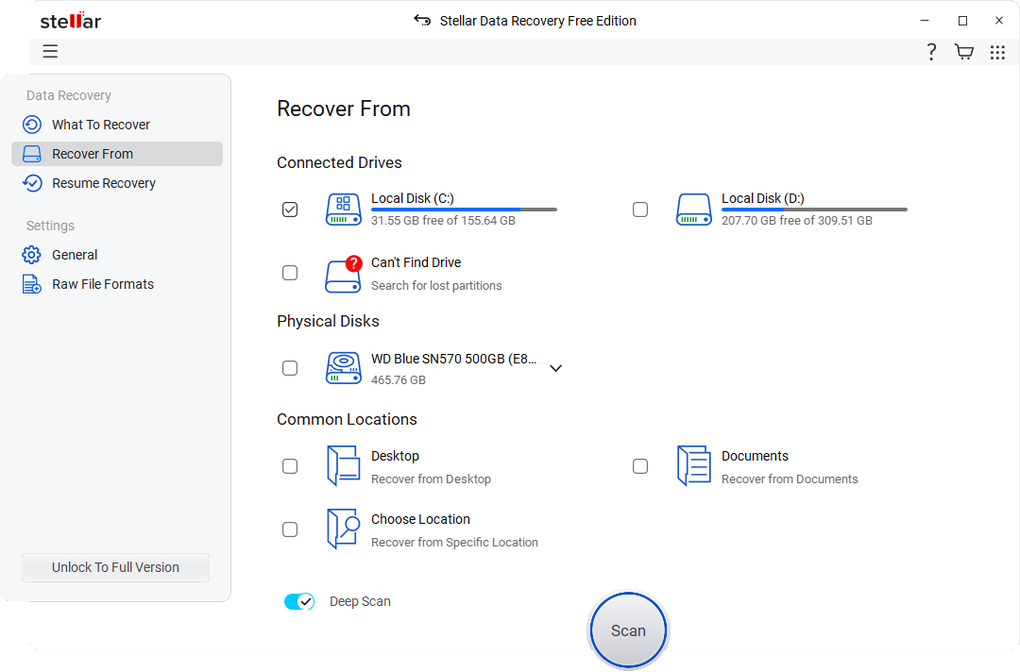
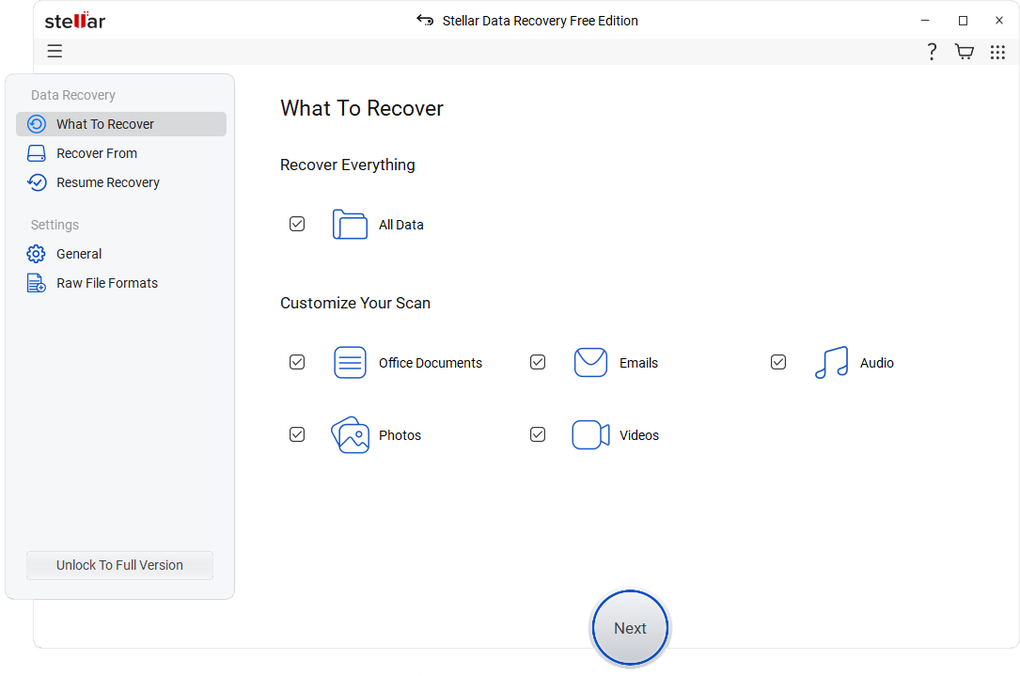
Getting started with Stellar Data Recovery Free Edition is straightforward and requires no technical expertise. The installation process is quick and clean, with minimal system resource usage. After downloading the software from the official website, users simply run the installer, accept the license agreement, and choose the installation location. The entire setup takes less than two minutes, and the software runs in the background without slowing down your system. Once installed, the user interface is clean, modern, and highly intuitive. The wizard-based navigation guides you step-by-step through the recovery process. First, you select the type of files you want to recover—such as documents, photos, videos, or emails. Then, you choose between a Quick Scan (ideal for recent deletions) or a Deep Scan (for more complex cases like formatted drives or severe corruption). The Deep Scan takes longer but offers a higher success rate, especially when files are not easily accessible through standard recovery methods. After scanning, the software displays a categorized list of recoverable files. You can preview files before recovery—especially useful for photos and videos—so you can be sure you’re restoring the right data. Select the files you need, choose a safe location (preferably not the original drive), and click “Recover.” The software handles the rest with speed and precision. It’s also worth noting that the free version allows recovery of up to 1 GB of data, which is more than sufficient for most personal recovery tasks. For larger-scale recovery needs, a paid upgrade is available with additional features like scheduled scans and priority support.Full Compatibility Across Devices and Operating Systems
Stellar Data Recovery Free Edition is designed to work seamlessly across multiple platforms, making it a versatile choice for users with diverse tech setups. The software is compatible with the latest versions of Windows (Windows 10, 11), macOS (Catalina, Big Sur, Monterey, Ventura, Sonoma), and Android (v9 and above). This cross-platform support ensures that whether you’re using a desktop, laptop, or mobile device, you can recover lost data without switching tools. For Windows users, the software supports all major file systems: NTFS, exFAT, FAT32, and FAT16. It also handles dynamic disks, RAID configurations, and external storage devices with ease. Mac users benefit from the same robust recovery engine, capable of retrieving data from Time Machine backups, APFS and HFS+ drives, and even from non-booting Mac systems using the bootable recovery option. Android users can recover lost photos, videos, and documents from internal storage or SD cards through the mobile app, which syncs with the desktop version for full control. The software also integrates well with cloud storage services like Google Drive and Dropbox, allowing users to recover files that were accidentally deleted from the cloud. This makes it a complete solution for users who rely on both local and cloud-based storage. With secure data handling protocols and no data transmission to third parties, users can trust that their sensitive files remain private during recovery.Pros and Cons of Stellar Data Recovery Free Edition
- Pros:
- Free to download and use with no hidden costs
- Supports over 1,000 file types, including RAW and HEIC formats
- Advanced deep scanning for maximum recovery success
- Can recover data from BitLocker-encrypted drives
- Bootable USB creation for non-booting systems
- Intuitive interface suitable for beginners
- Secure and private—no data sent to servers
- Cons:
- Limited to 1 GB of recoverable data in the free version
- No scheduled recovery or automated backups
- Advanced features like file filtering and recovery logs require a paid upgrade
- Mobile app has fewer features compared to desktop version
- Deep scan can take several hours on large drives
Frequently Asked Questions (FAQ)
Can I recover files after formatting a drive?
Yes, Stellar Data Recovery Free Edition can recover files after formatting, provided the data hasn’t been overwritten. The software scans the drive at the sector level to locate and restore deleted or lost files.
Is the free version safe to use?
Absolutely. The free version is 100% secure and does not collect or transmit your data. All recovery processes happen locally on your device, ensuring your privacy and data security.
Can I recover files from a crashed Windows system?
Yes, the software includes a bootable USB creator feature, allowing you to boot from an external drive and recover data even if your system won’t start.
What file types are supported?
The software supports over 1,000 file types, including DOCX, PDF, XLSX, MP4, MOV, AVI, JPEG, PNG, HEIC, RAW, ARW, and many more. It also repairs corrupted media files.
How do I upgrade to the full version?
You can upgrade directly from the software interface by clicking the “Upgrade” button. The full version offers unlimited recovery, advanced filters, and priority support.







